
Devlog 1 - DOS Adventure
I'm making an early start on a BASIC game jam hosted by the DOS Game Club:
 Evil Taco

The most commonly used BASIC interpreters for MS DOS would have been GWBASIC or QBASIC. But I wanted to see if I could revisit Visual Basic for MS DOS - the text mode forms-based back-port of Visual Basic for DOS. I've used this in the past to create a menu system for launching games.
I've settled on an adventure game. Something a little like what you'd find on a 68K Mac - long text descriptions, UI controls (list box, buttons) for interaction and not a text parser. I feel this plays to the strengths of VBDOS
I've spent some time laying out controls on a form
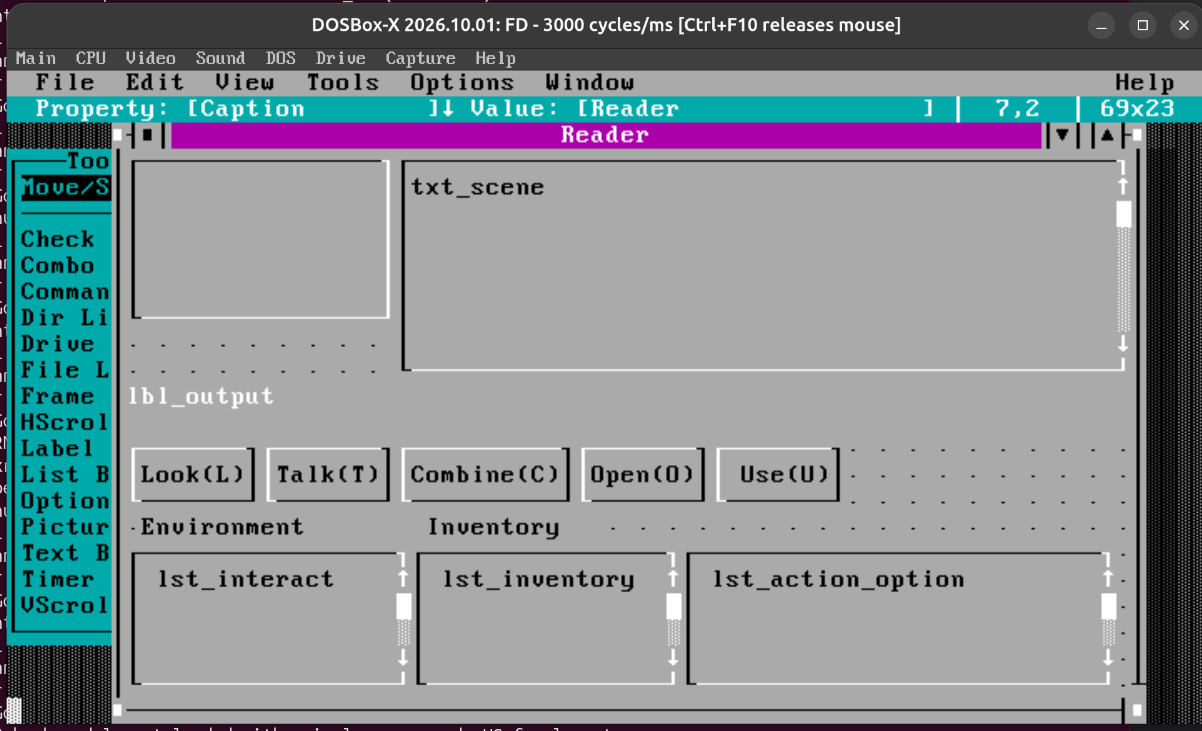
I still have to prove some of this out, but the elements:
- A description of the scene is displayed in the scrolling text area
txt_scene - A list of things you can interact with show in the
lst_interactlist box - Your inventory items are in the
lst_inventorylist box - A list of actions (e.g. dialog responses) is shown in lst_action_options. This control is hidden until needed.
- The output text
lbl_outputdisplays active prompts, NPC dialog, etc - Command buttons Look, Talk, Combine, Open and Use act upon inventory and environment. There will be a challenge in making this intuitive. I think I can use focus or item selected events to highlight a selected item in
lbl_output, and then a follow-up command will execute the action. E.g. - Tab into environment list
- Select Door
- Output shows "Door"
- Click "Open" (or O on keyboard)
- Output shows "Open Door: The door is locked"
Combine actions between the 2 lists (inventory and environment) can be done with a repeat combine click. Focus Door -> Combine -> Focus Key -> Combine
Limited Graphics
You may notice in the form design above there is a frame in the top left. VBDOS has a control called a Picture Box, which just displays characters, e.g. ANSI art or text.
The last few days I've been obsessed with the idea of using custom VGA fonts, for more interesting text rendering, but also importantly for some limited graphics.
I found this cool and very useful program called Fontraption, for editing VGA fonts.
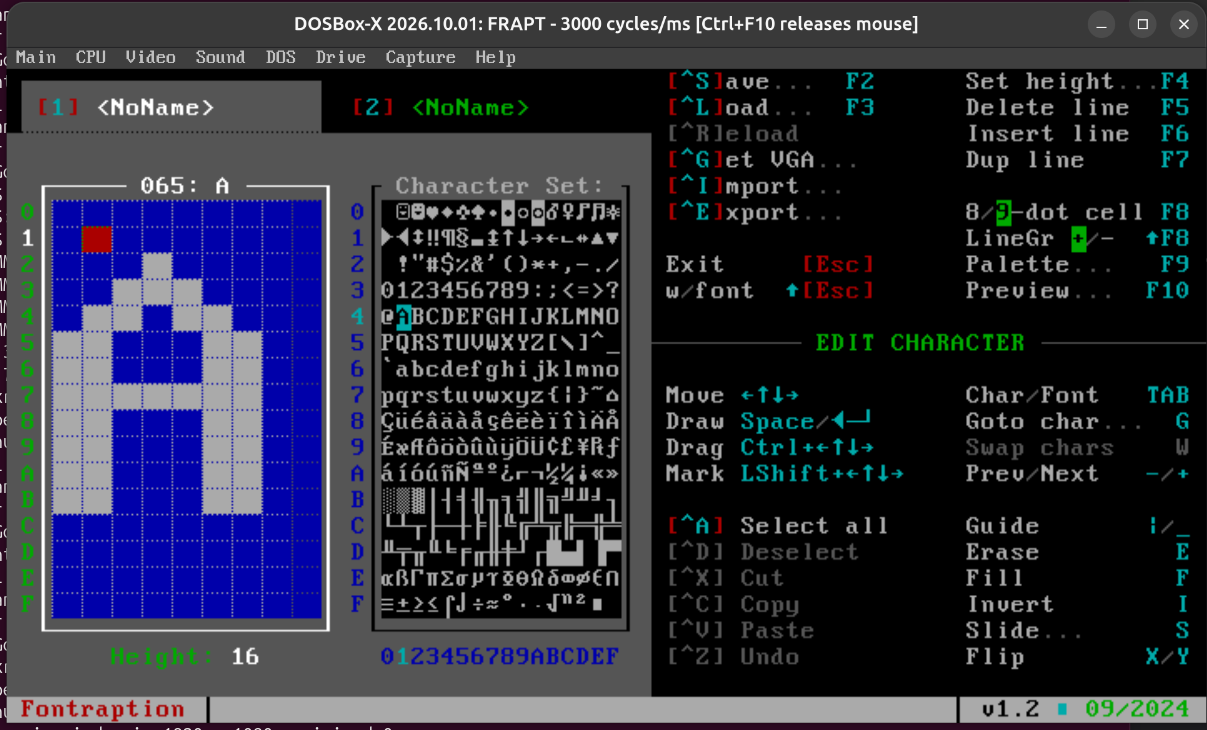
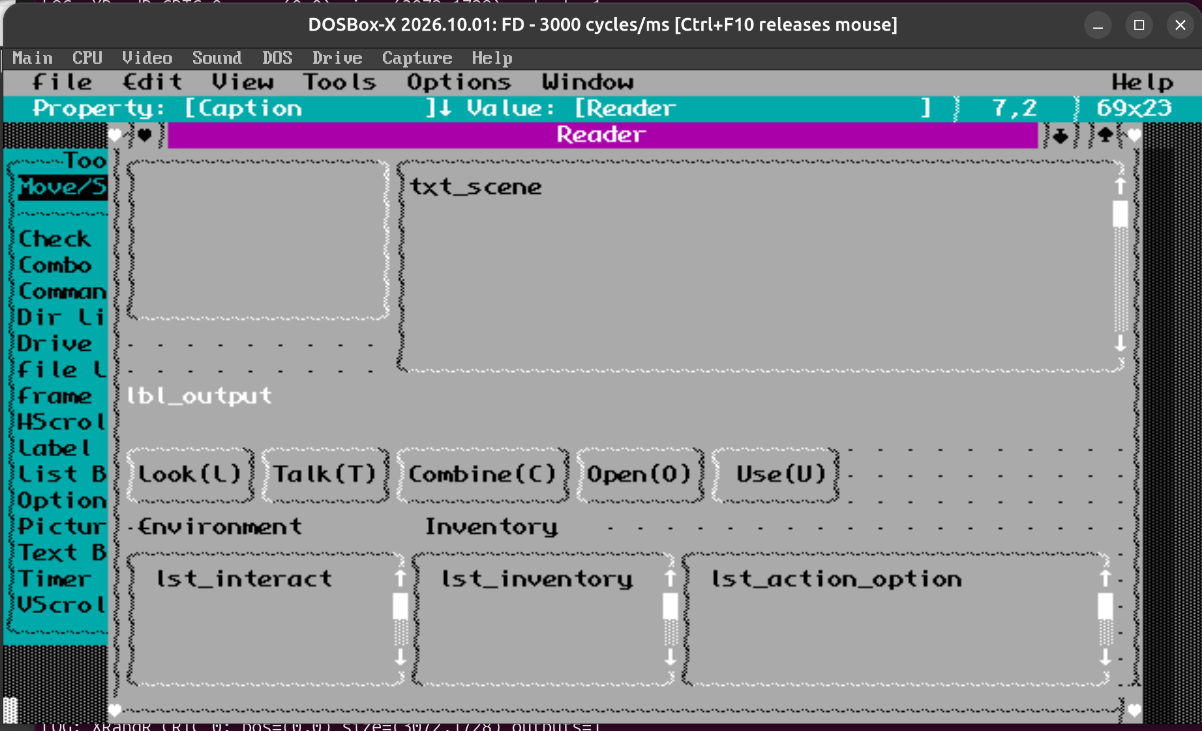
It comes with a big library of fonts. I used this to override the font, some of the border characters, and use custom icons for close/maximize/minimize. This is an example:
I turned my attention to the idea of adding a graphic for each scene in the picture box.
The font set needs to contain all of the text characters you'd need for English text, all the border and other characters used for form display. Whatever is leftover from the extended ASCII set is what I can use for graphics.
I think these highlighted ones won't be used (plus or minus a few)
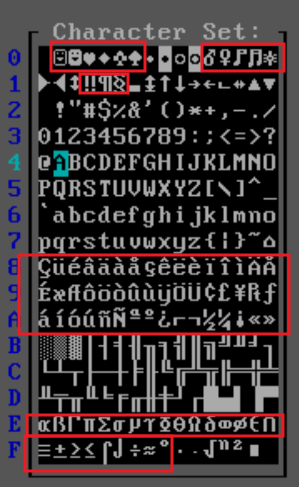
I think this gives me enough space for a 16x5 character scene image, with a few to spare for e.g. custom icons. This is 128x80 pixels
I worked on a little test image in Aseprite. It needed to be 1-bit
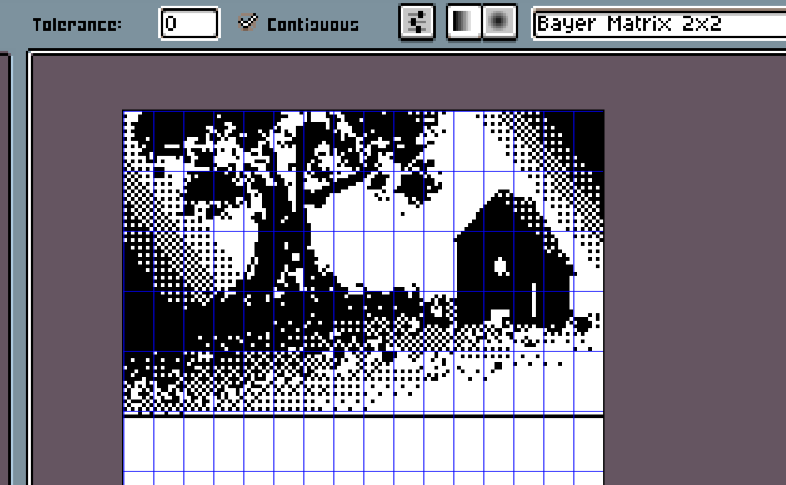
I'm not really a great pixel artist, but I played around with some of the tools. Arc line for the tree and landscape shape, The jumble tool to provide the grassy and dithered effect to the ground and especially the leaves. Gradient tool for shafts of light and ground. The house was just polygon tool with some cutouts and a gradient on the roof.
I had to use GIMP to export in a format that Fontraption can read. I haven't figured out how to do this properly from Aseprite.
Fontraption lets you copy between 2 fonts, and includes a BMP import option
Source image:
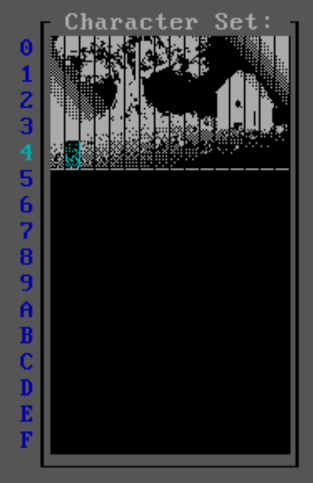
Pasted into segments
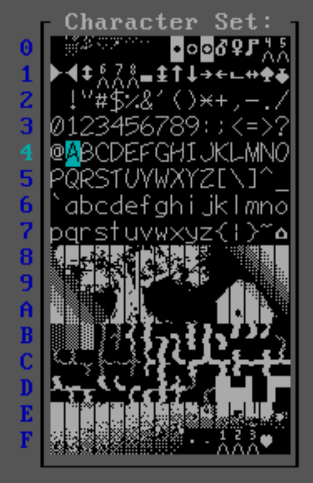
The font can be exported as a COM file, which when run will replace the current text mode font.
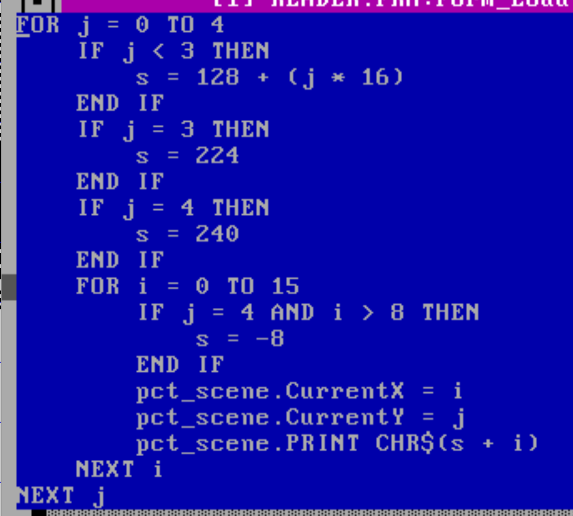
I added a SHELL call within the program to set the font, and some test code to render the 16x5 character image into the form:
Success!
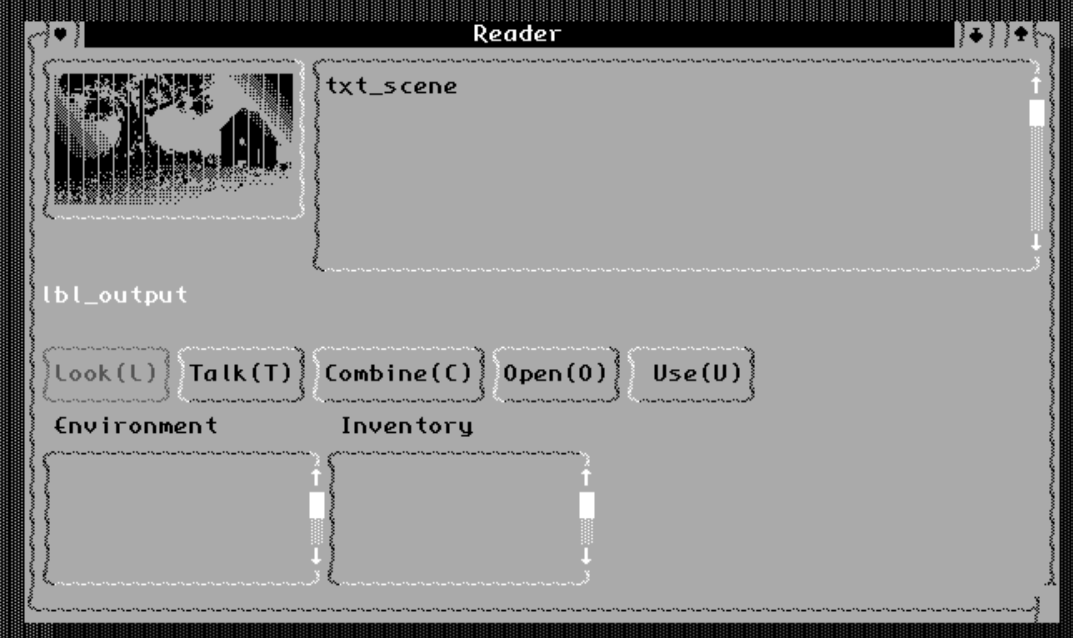
But the picture has these vertical bars. Apparently characters render with a 1 pixel gap. Fontraption has a 9-pixel vs 8-pixel mode. I wanted to achieve the same for my game. There is a BIOS register for this (details here).
I used a small piece of assembly to set the dot-clock to 8 per character. I assembled this into a COM file and called this alongside the font selection.
Result:
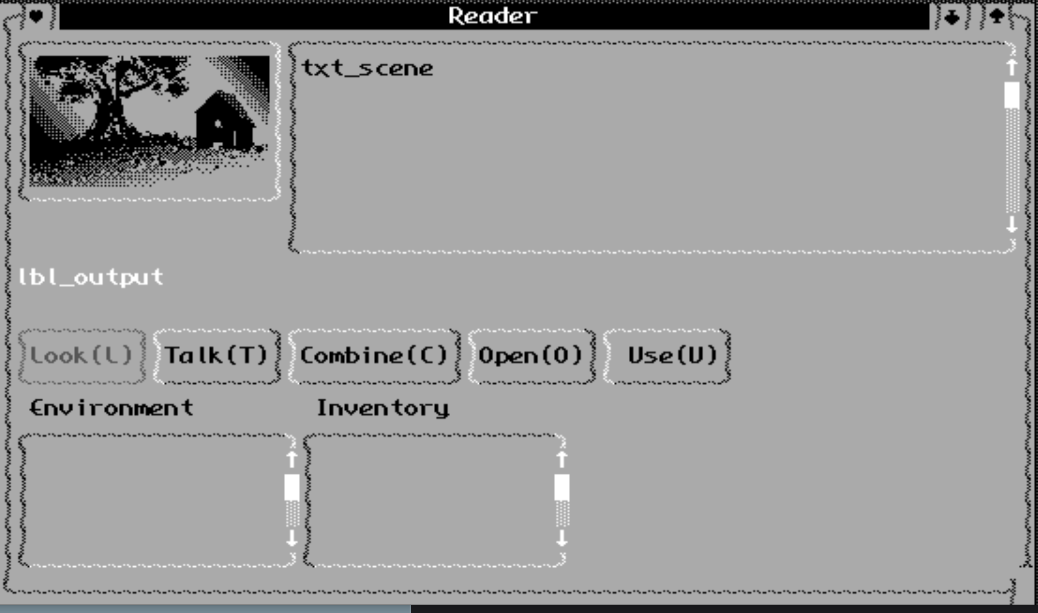
An aspect I wouldn't mind exploring later - these font graphics can theoretically be animated. That would be a real stretch goal. For now I'm happy with just a static image for the scene.
Authoring a Scene
This is the least fleshed out, progress to be done here. I want to explore whether I can make a game entirely data driven - this would allow using this "engine" with just a set of data files, and I can build an editor for it, possibly using VBDOS as well, which I think has good support for binding a form to a TYPE structure and saving those records to flat files.
Consider an action like opening a door or moving to a new location. In a puzzle dependency tree, this action would have prerequisites. Player must have the key, and perhaps have talked to a particular character. "It's locked", "I don't want to leave until I've talked to Jim".
Could these be characteristics of the door definition?
- Name: Door
- Type: Portal
- Destination: 123
- Prerequisites
- Prereq[1] Type: Item
- Prereq[1] Fail Msg: "It's locked"
- Prereq[1] ItemId: "key_1"
A hidden set of events, similar to the inventory collection could keep track of things that have happened, not only current possessions. And save state could just be the current inventory, room and event list. Prerequisites are evaluated on load of the scene, after actions and on interaction.
What will the game actually be?
I'm considering doing an adventure game adaptation of a public domain work. Strongly leaning towards Alice's Adventures in Wonderland as a source. I think this book lends itself to the usual adventure game puzzles, and I can integrate or adapt the writing.
I think I could do something original, but since this is for a game jam, it's going to take far too long to work the story from scratch.
That's it for this log entry. I'll keep updating here as I go.